
How to use Auction Data Search System to find your favorite cars from Japan Auto Auctions
Login through this panel in the page header.
Enter username & password given to you after registration.
Not registered yet? You can register from
here.
Or get a demo access for free from
here.

After logging in, you will see a page like the following.
There are 3 search types you can switch between them at any time:
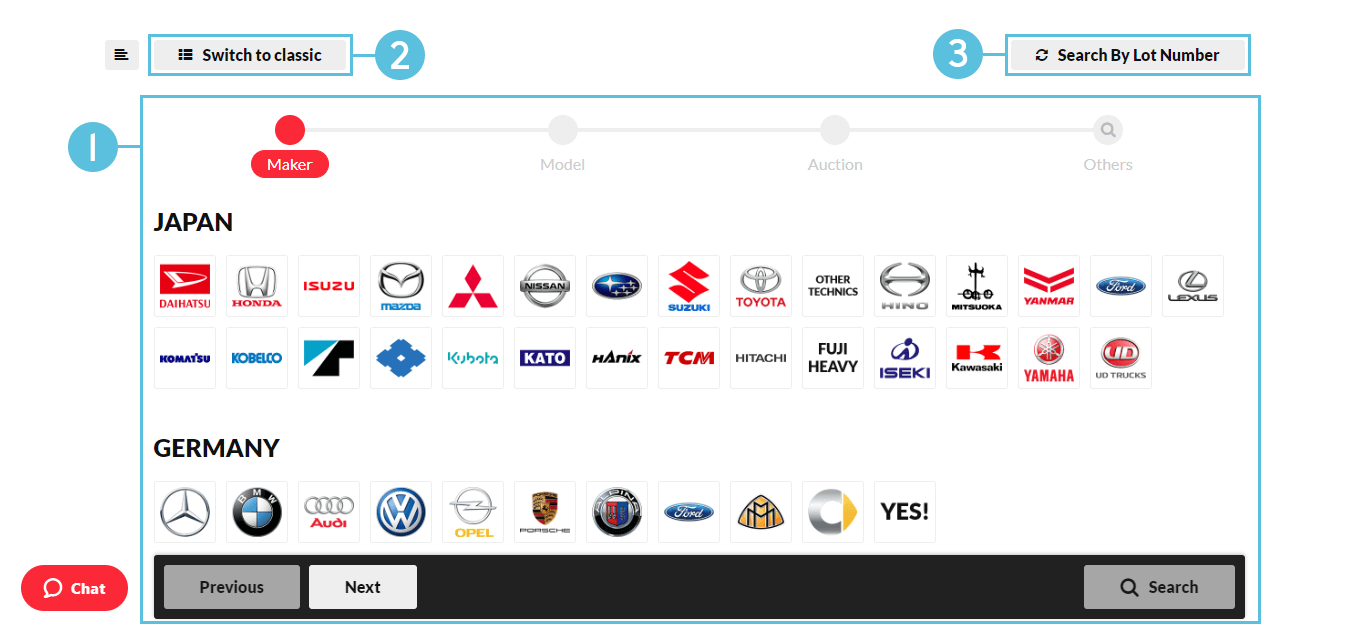
Search types:
Modern Search
In Modern Search, there are 4 steps to make your search, represented in the progress bar (1) as shown below:
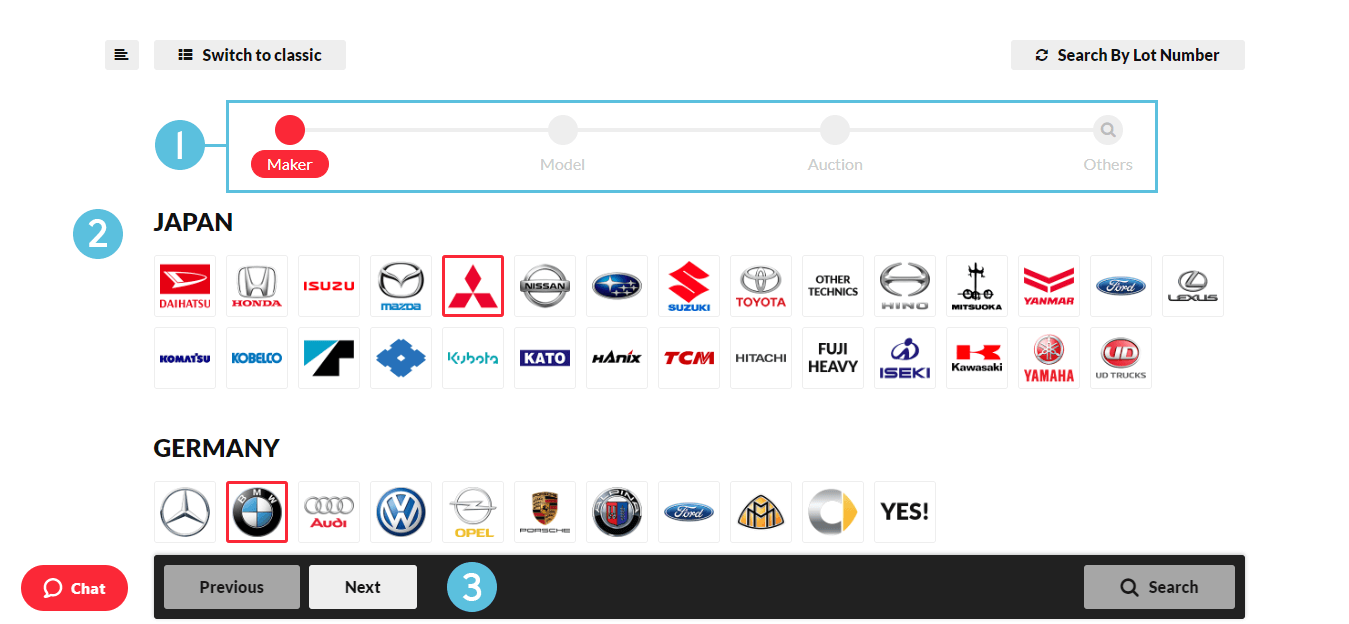
- Search progress bar.
- Makers list.
- Search navigation panel.
Maker selection
You can select/deselect makers by clicking on them or by clicking on the country title to select/deselect all makers of the country.
Clicking "Next" button in search navigation panel (3) will step you over to Model selection panel.
Model selection
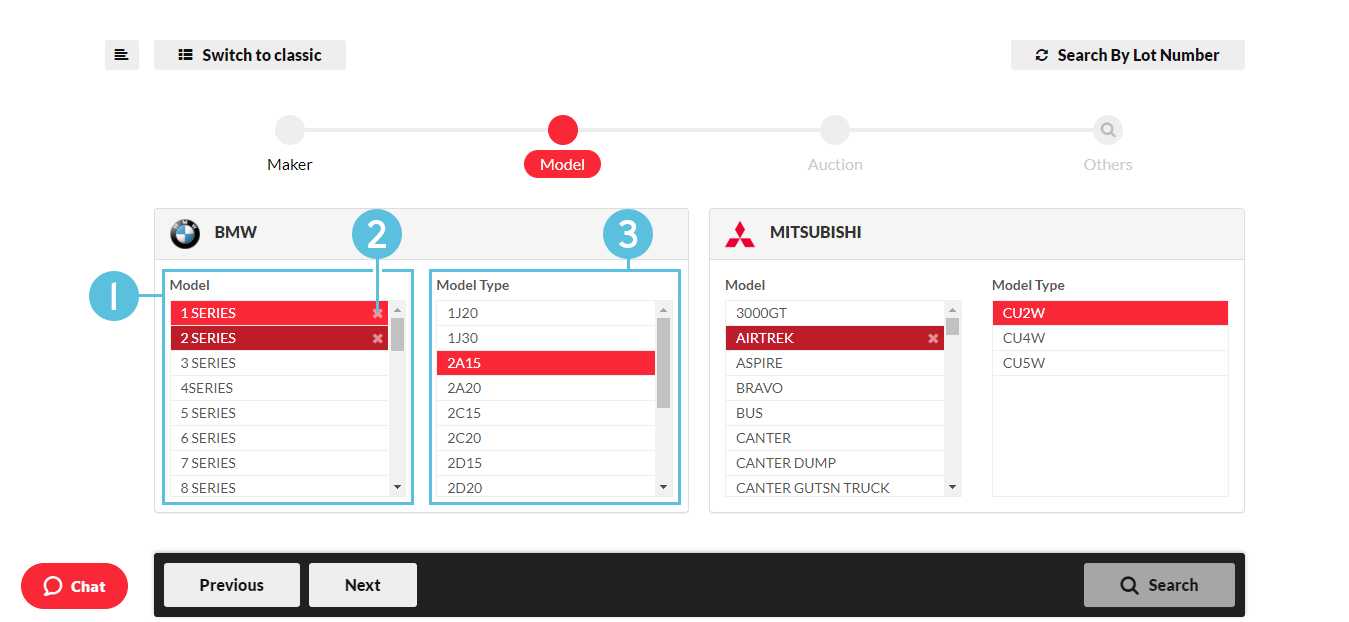
- Models list.
- Deselect model.
- Model Types list.
Select your Models and Model Types and click "Next" to go to Auction selection panel.
Note: * Select none to search in all Models/Model Types.
Auction selection
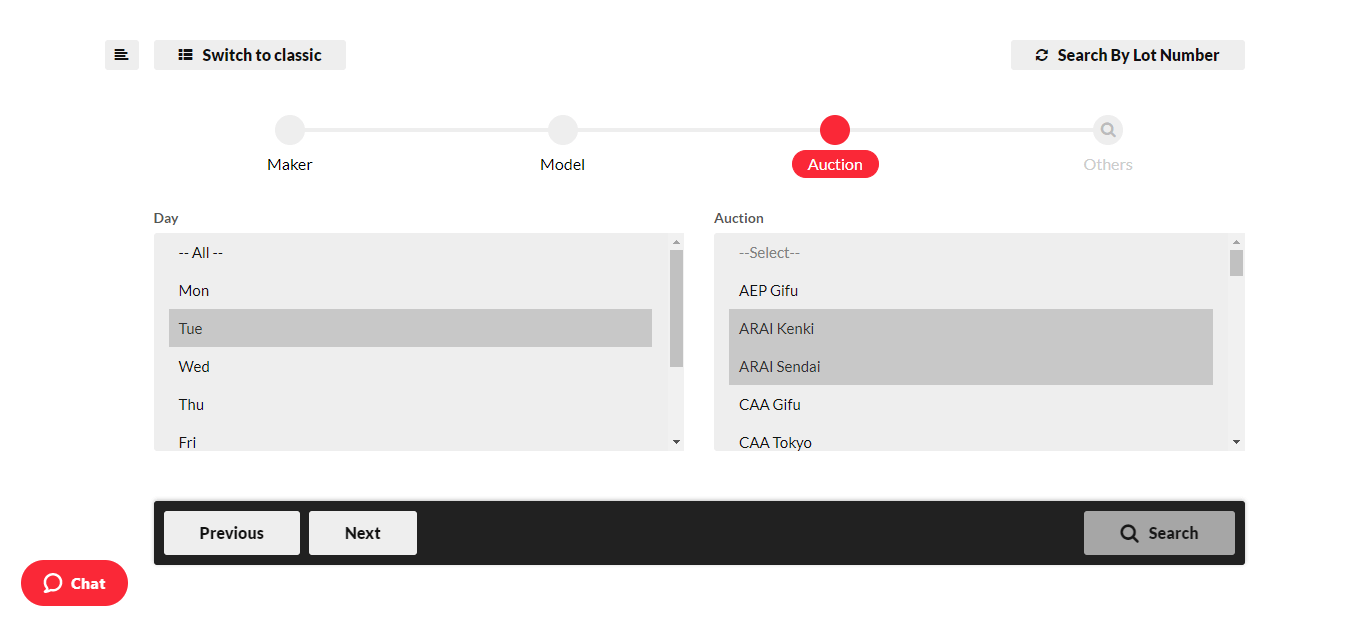
Select Day and Auction and click "Next" to go to Other selections panel.
Notes:
* You can select multiple options by holding down Ctrl key.
* Select none to search in all Days/Auctions.
Other selections
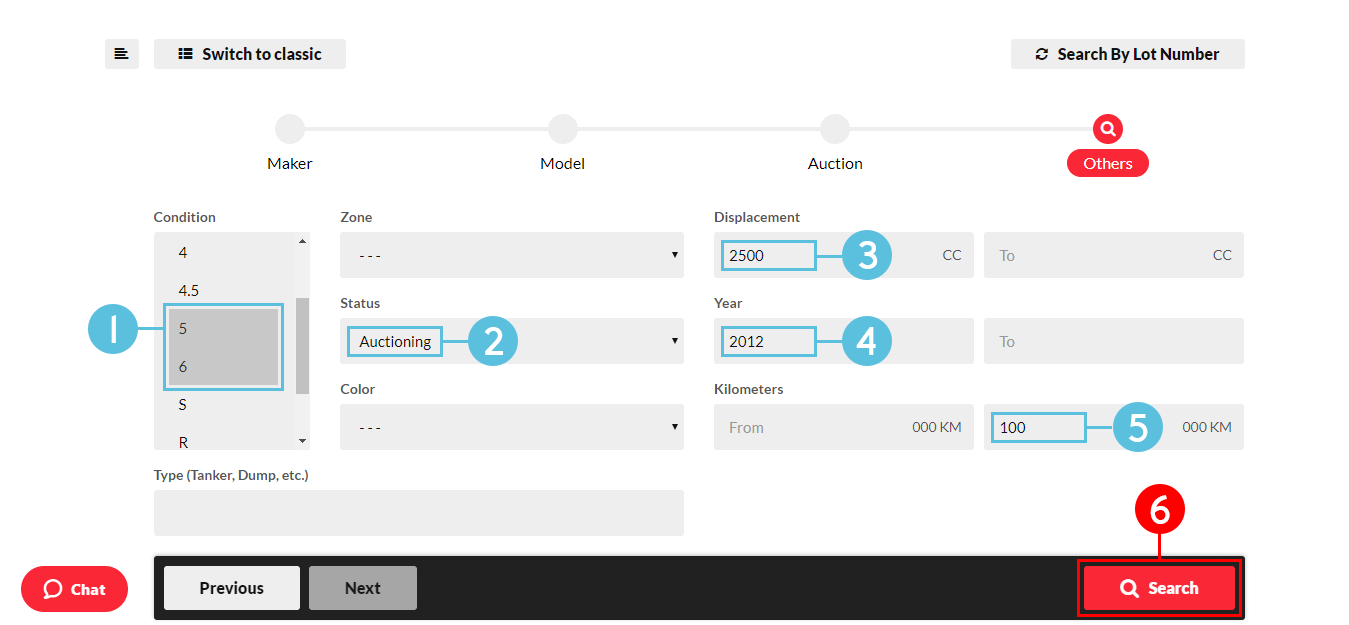
In the above screen the following search criteria is set:
- Auction Grade is 5 or 6.
- Status is Auctioning.
- Displacement (Engine CC) ≥ 2500.
- Year ≥ 2012.
- Run ≤ 100,000 KM.
(6) At this point, you can make your search.
Search results
There you go! After making your search, you will see the results as in the screen below:
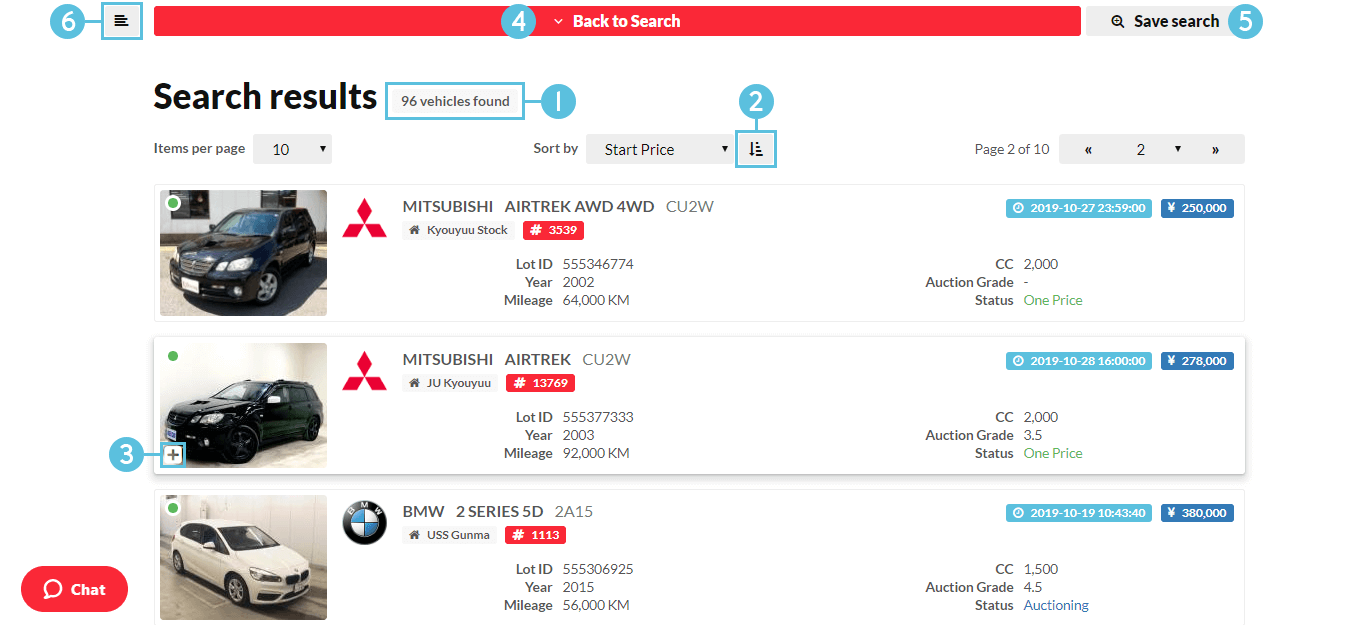
- Totally 96 cars found at that moment.
- Sorting order switcher.
- Add the car to your list.
- You can go back and alter your search criteria.
-
After clicking "Save search", give your search a name and press OK.
You'll see it under "Saved searches" in the sidebar. - Toggle sidebar.
Clicking on a vehicle's panel will open its details page in a new tab.
Vehicle Details Page
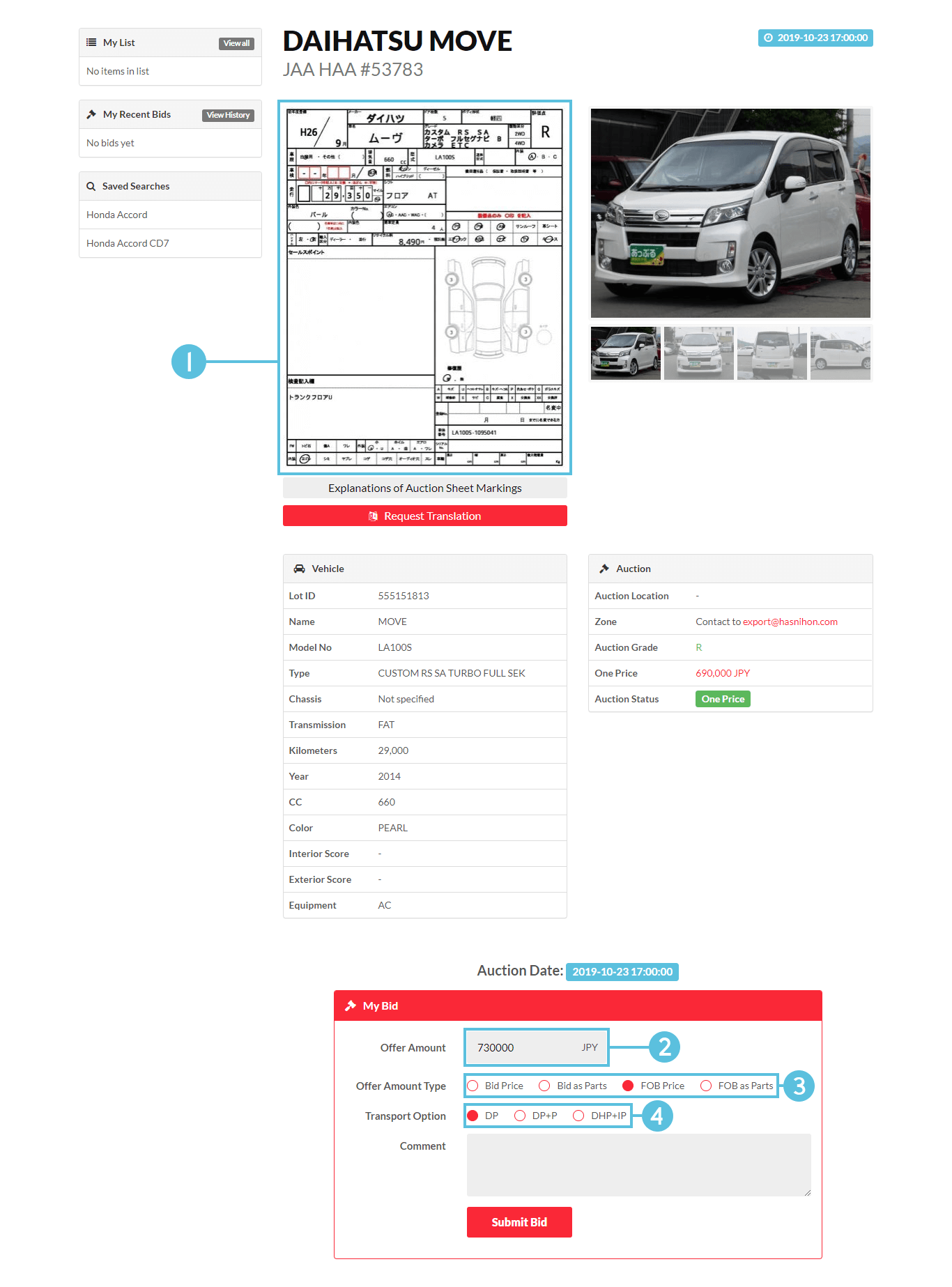
-
Auction sheet explains the general condition of a car.
It's written in Japanese, but our staff can help translate it. - Your offer amount for the bid.
-
Bidding Price: The amount used for bidding.
FOB Price: The car's FOB value. -
DP: Direct to Port.
DHP: Via Has-Nihon yard.
DHP+IP: With inspection & photos.
Bid Submission
After successfully submitting the bid, you will see a screen like the following:

Classic Search
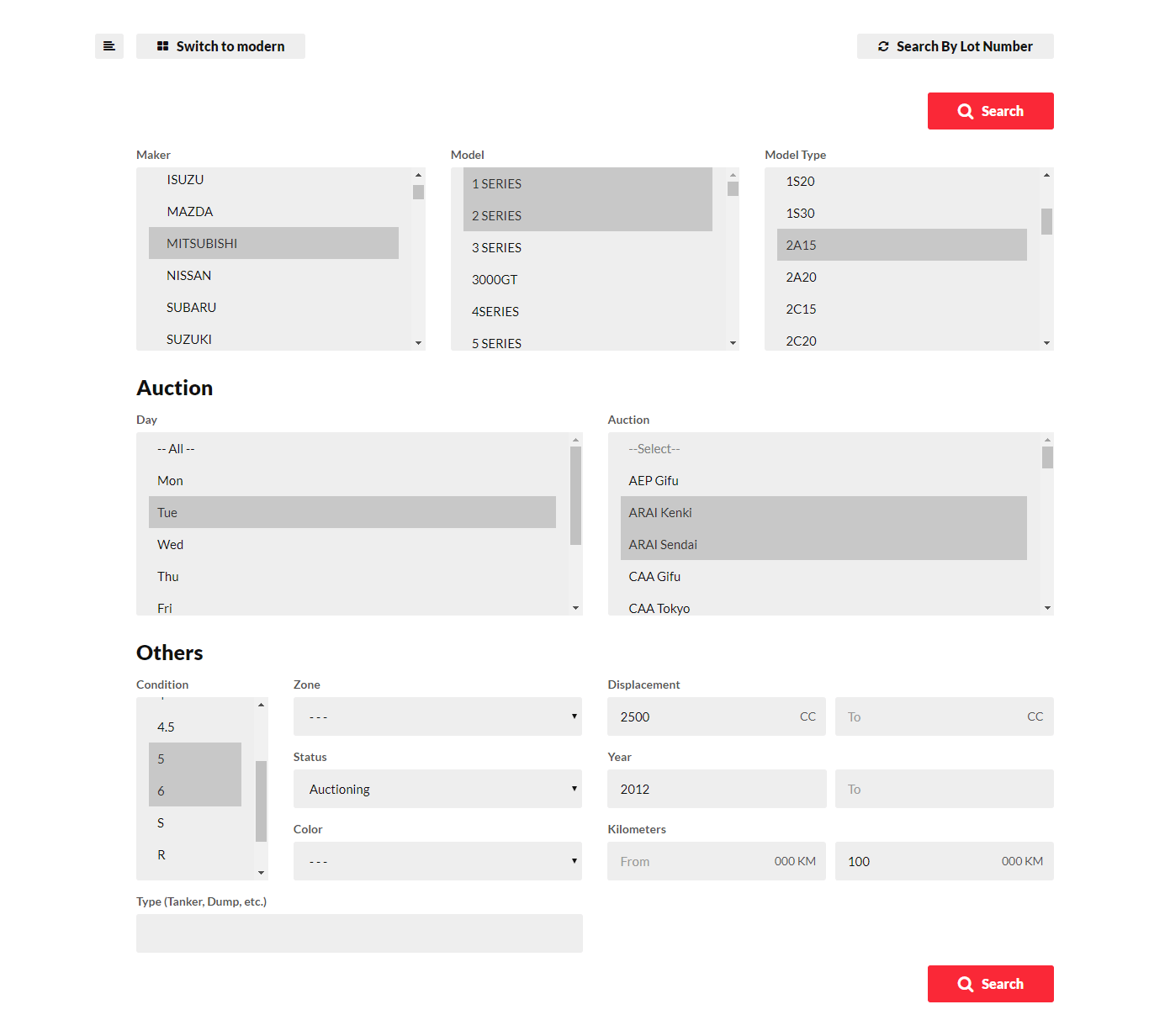
If you're familiar with classic search on ADS, you may prefer it. Select your search criteria and click "Search".
Note: * You can select multiple options in lists by holding down Ctrl key while clicking on options.
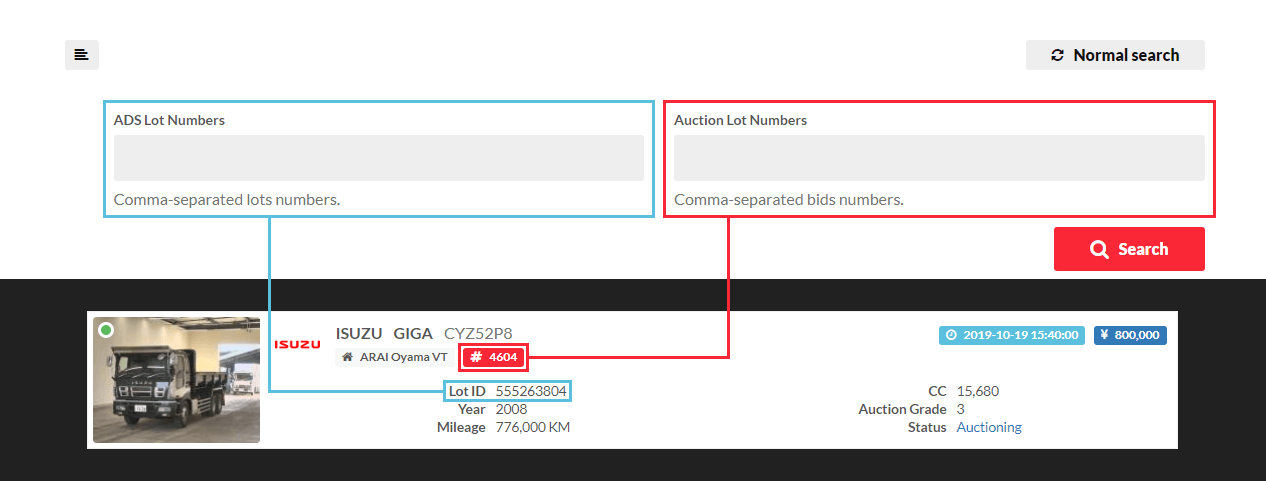
Search By Lot Number
There is also an option to search by Lot ID or Auction No.
Last updated on: 2019-10-19