
How to use Auction Data Search Statistics to check the prices of sold vehicles across different auctions of Japan
1
.png)
2
After logging in, navigate to Statistics page, you will see a page like the following:
You don't see Statistics in navigation bar? [...what to do]
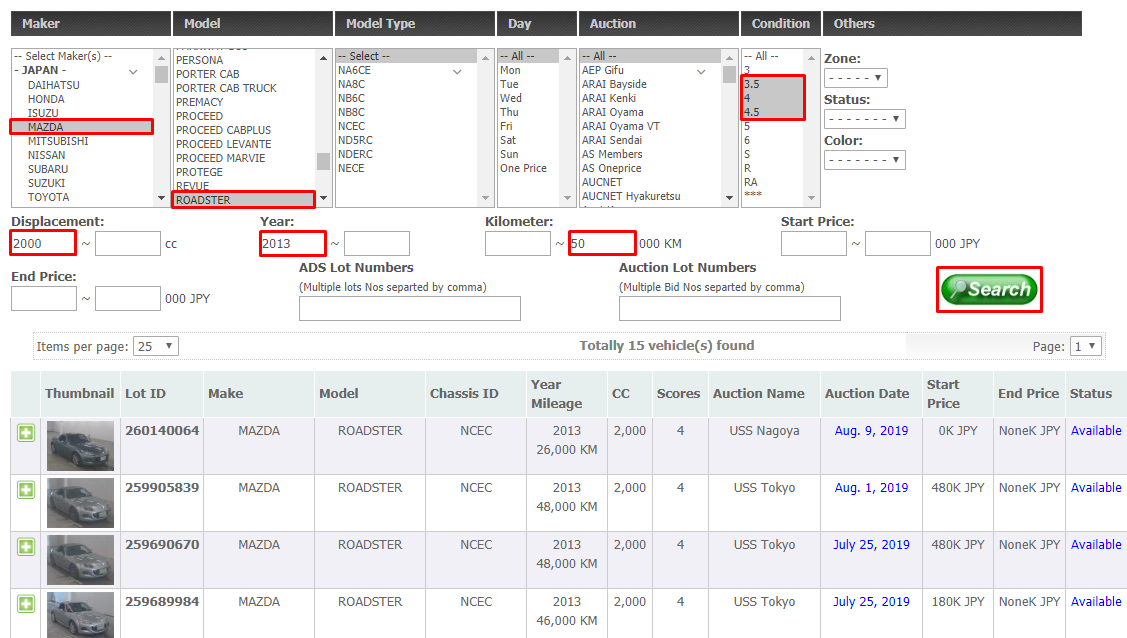
You can select the options according to your search.
Note: You can select multiple options by holding down Ctrl key while clicking on options.
There is also option to search by Lot ID or Auction No.
Note: Entering data in these two fields will ignore other search parameters.
In the above screen the following search criteria is set:
- Maker is MAZDA. Selecting Maker will automatically update Models for that specific Maker.
- Model is ROADSTER.
- Auction Grade is 3.5 or 4 or 4.5.
- Displacement (Engine CC) ≥ 2000.
- Year ≥ 2013.
- Run ≤ 50,000 KM.
3
There you go! After making your search, you will see the results as in the screen below:
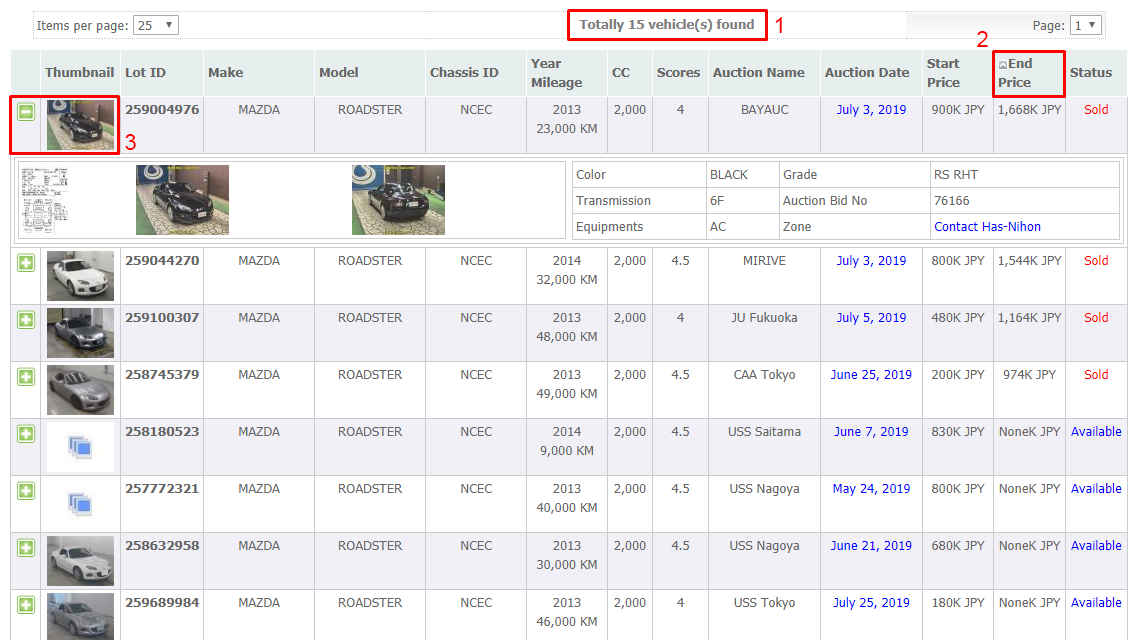
- Totally 15 cars found at that moment.
- You can click on the title on the header to sort the result by that column. Clicking again reverses the order.
- You can click on the car image or the "+" sign to expand car images and details.
Has-Nihon IT Team
Last updated on: 2019-09-15
Last updated on: 2019-09-15